Theme
AI-Assisted Modification
You can directly modify the theme style through dialogue in the Cursor editor.
Example Prompt:
Change the project's primary color to pink.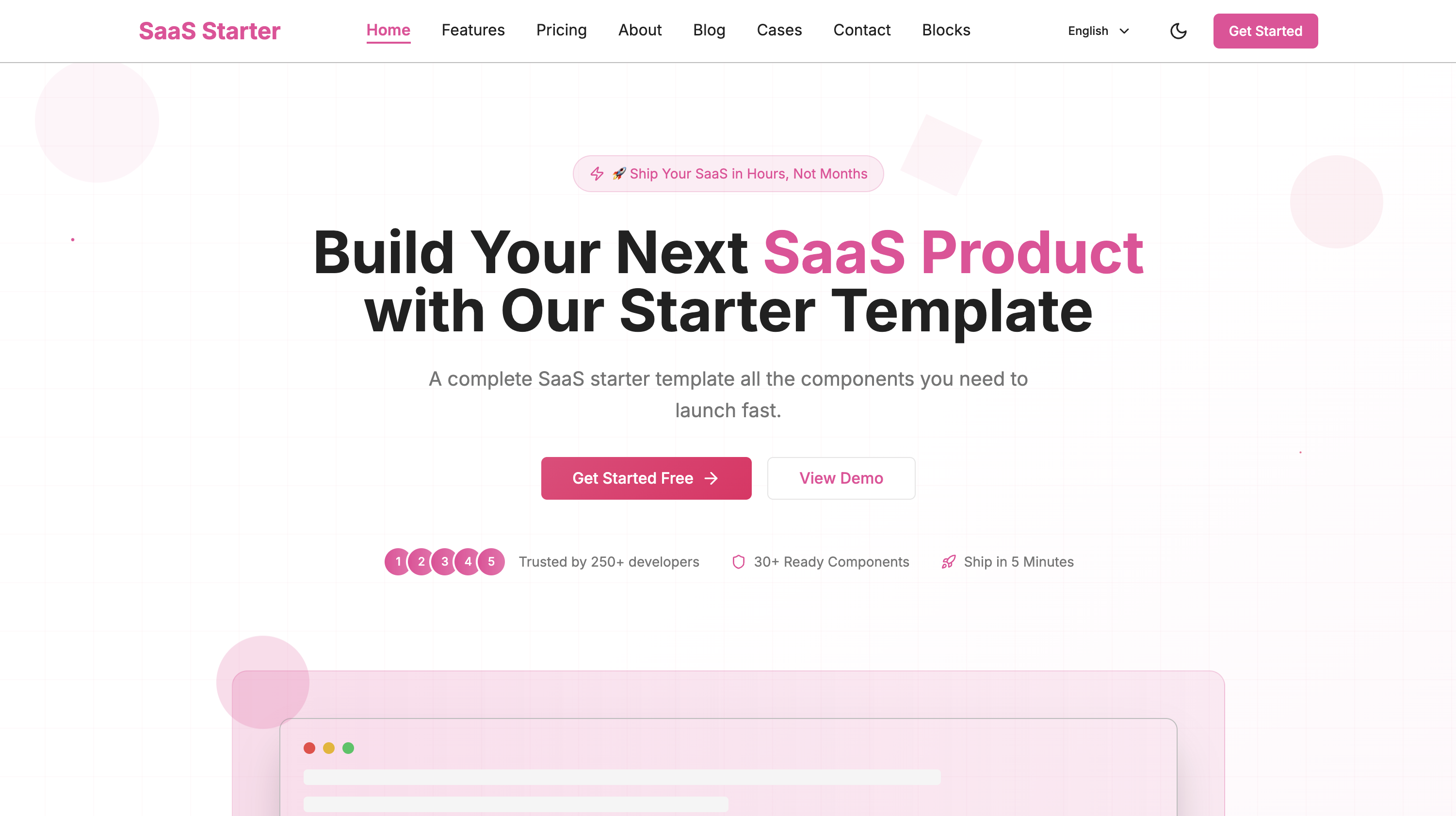
Manual Modification
All theme colors are defined in the src/global.css file. The main parts include:
1. Basic Color Variables
All basic color variables are defined in the :root selector:
:root {
  /* Theme color variables */
  --primary: 260 51% 48%;      /* Primary color #673AB7 */
  --primary-dark: 257 59% 60%; /* Dark theme primary color #512DA8 */
  --secondary: 257 44% 85%;    /* Secondary color #D1C4E9 */
  --accent: 257 100% 65%;      /* Accent color #7C4DFF */

  /* Text colors */
  --foreground: 0 0% 13%;      /* Primary text color #212121 */
  --muted-foreground: 0 0% 46%; /* Secondary text color #757575 */

  /* Background colors */
  --background: 0 0% 100%;     /* Background color #FFFFFF */
  --muted: 0 0% 96%;          /* Secondary background color */

  /* Border and input */
  --border: 0 0% 74%;         /* Border color #BDBDBD */
  --input: 0 0% 90%;          /* Input border color */
  --ring: 260 51% 48%;        /* Focus ring color */
}
2. Gradient Backgrounds
Three gradient background styles are defined in the project:
/* Main gradient background */
.gradient-bg {
  background: linear-gradient(135deg, #673AB7 0%, #512DA8 100%);
}

/* Light gradient background */
.gradient-bg-light {
  background: linear-gradient(135deg, #f3e5f5 0%, #e1bee7 100%);
}

/* Dark gradient background */
.gradient-bg-dark {
  background: linear-gradient(135deg, #4527a0 0%, #311b92 100%);
}
3. Grid Pattern Background
The grid background uses a transparent version of the theme color:
.bg-grid-pattern {
  background-image:
    linear-gradient(rgba(103, 58, 183, 0.1) 1px, transparent 1px),
    linear-gradient(90deg, rgba(103, 58, 183, 0.1) 1px, transparent 1px);
  background-size: 50px 50px;
}
4. Button Style
Buttons use a gradient of the theme color:
.btn-gradient {
  background: linear-gradient(135deg, #673AB7 0%, #512DA8 100%);
  transition: all 0.3s ease;
}

.btn-gradient:hover {
  box-shadow: 0 10px 25px rgba(103, 58, 183, 0.3);
}
Modifying Theme Colors
To modify the theme colors, you need to:
- Choose a new primary color (recommended to use the Material Design color palette)
- Update the color variables in
:root - Update the color values in gradient backgrounds
- Update the color values in grid patterns
- Update the color values in button styles
For example, to change to a pink theme, you can use the following colors:
- Primary color:
#EC407A - Dark theme:
#E91E63 - Secondary color:
#FCE4EC - Accent color:
#D81B60
Note: Color values use HSL format, and you can use online tools to convert HEX to HSL.
Last updated on: