Internationalization
The project supports internationalization by default, including Chinese and English, implemented based on next-i18n.
Modifying Text
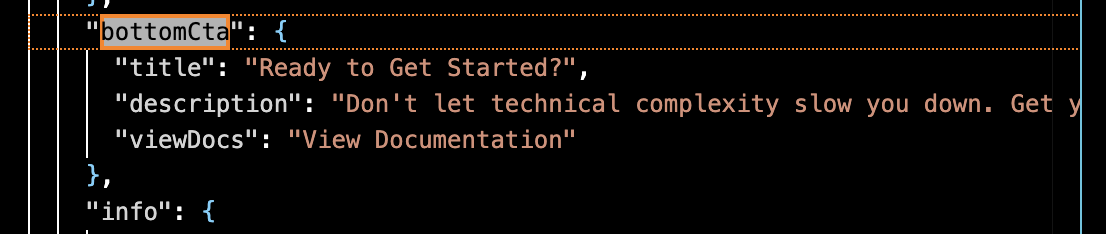
The project uses dictionary keys to retrieve corresponding language text to fill the page. If you need to modify certain text, you need to find the corresponding key in the source code, for example:
dict.home.bottomCta.descriptionFind the corresponding location in all translation files under dictionaries/ and modify the text.
Adding Languages
Using AI Editor to Add Languages
You can directly add languages through conversation in Cursor.
Example Prompt:
Add French language support to the projectManual Language Addition
1. Create translation configuration files for the corresponding language under dictionaries/.
# Translation files
dictionaries/[locale].json          # e.g., ja.json, fr.json
2. Update src/lib/i18n.ts
Add the language and corresponding display text.
// Add new locale to the locales array
export const locales = ['en', 'zh', 'ja'] as const;  // Add 'ja'

// Add locale display name
export const localeNames: Record<Locale, string> = {
  en: 'English',
  zh: '中文',
  ja: '日本語',  // Add new language name
};
3. Update src/lib/dictionaries.ts
Import the corresponding configuration file
const dictionaries = {
  en: () => import('../../dictionaries/en.json').then((module) => module.default),
  zh: () => import('../../dictionaries/zh.json').then((module) => module.default),
  ja: () => import('../../dictionaries/ja.json').then((module) => module.default), // Add new
};
4. Update Contentful Language Settings (Optional)
If you’re using the built-in Contentful integration in your project, you’ll need to modify the internationalization settings in your Contentful space:
Space Settings -> Locales, click Add locale:
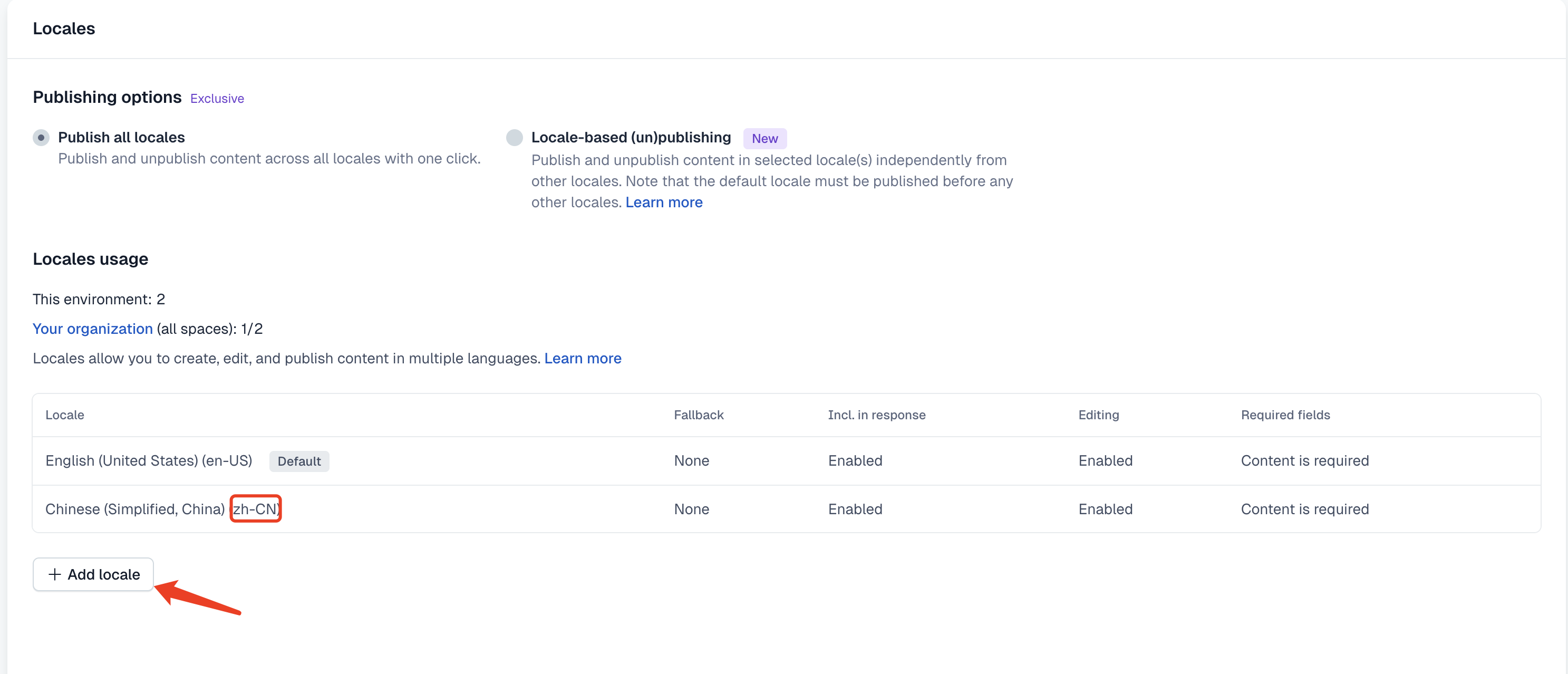 After adding, update the language enum value in the project’s
 cms/contentful/contentful2md.js:
// Language mapping: local language -> Contentful language code
const LANG_MAPPING = {
  'en': 'en-US',    // Local English → Contentful English
  'zh': 'zh-CN'     // Local Chinese → Contentful Chinese
  // Add new language mappings
};